🀄 Red Panda
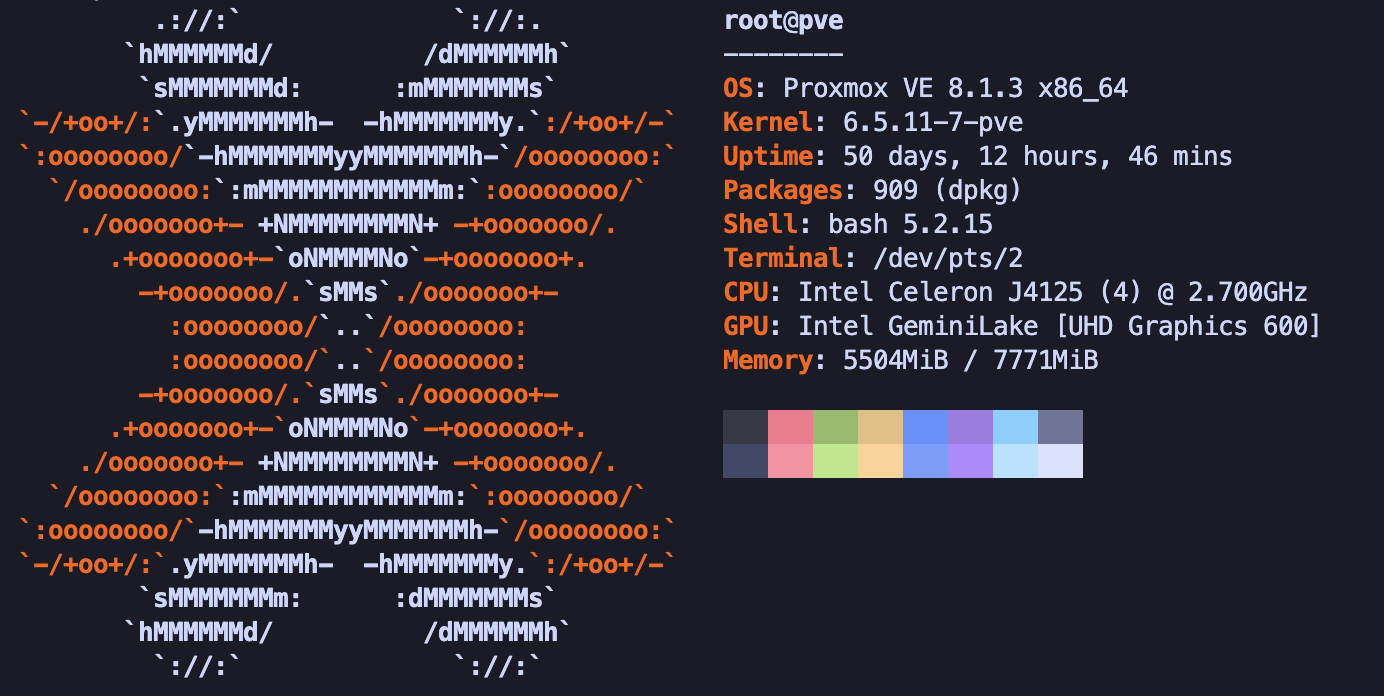
Standalone Proxmox host for network infrastructure — soft router, Omada controller, and related edge services. Not a member of the zs-lab PVE cluster (sparrow, phoenix, duck, unicorn). Treat as mission-critical: minimal changes, no experimental workloads, prefer long uptimes.
Specs
- OS: Proxmox VE (kernel 6.5.11-7-pve, Debian 12 bookworm)
- CPU: Intel Celeron J4125 (4C/4T) @ 2.7 GHz
- GPU: Intel UHD Graphics 600 (Gemini Lake,
i915) - Memory: 8 GiB
- Disk: 128 GB SSD (SanDisk i100)
- Hostname: Red Panda
- IP:
192.168.100.2(management / LAN bridge)
Network
| Interface | Chip | Speed (observed) | Role (per interfaces) |
|---|---|---|---|
enp1s0 | Intel I226-V | — | Management |
enp2s0 | Intel I226-V | 2.5 Gbps | LAN to switch |
eno1 | onboard | 100 Mbps | WAN 1 |
enp4s0 | Intel I226-V | 1 Gbps | WAN 2 |
Also: tailscale0
Bridges: vmbr0 (mgmt + LAN), vmbr0.100, vmbr0.15, vmbr1 (WAN 1), vmbr2 (WAN 2)
VMs / LXCs
101 Omada LXC
- Memory: 2048 MiB
- Cores: 2
- Storage: 10 GiB
- Swap: 1024 MiB
- Network: bridge
vmbr0, static IP192.168.100.4/24
102 OPNsense
- Memory: 8.0 GiB
- Cores: 4 (1 socket, 4 cores) [x86-64-v2-AES]
- Storage: 40 GiB
- Network:
- net0: bridge
vmbr0 - net1: bridge
vmbr1 - net2: bridge
vmbr2
- net0: bridge
- Backup: configuration backed up to GitHub
Network configuration
# /etc/network/interfaces
# network interface settings; autogenerated
# Please do NOT modify this file directly, unless you know what
# you're doing.
#
# If you want to manage parts of the network configuration manually,
# please utilize the 'source' or 'source-directory' directives to do
# so.
# PVE will preserve these directives, but will NOT read its network
# configuration from sourced files, so do not attempt to move any of
# the PVE managed interfaces into external files!

auto lo
iface lo inet loopback

auto enp1s0
iface enp1s0 inet manual
#Management Port

auto enp2s0
iface enp2s0 inet manual
#LAN out to switch

auto eno1
iface eno1 inet manual
#WAN IP 1 from modem

auto enp4s0
iface enp4s0 inet manual
#WAN IP 2 from modem

auto vmbr0
iface vmbr0 inet static
        address 192.168.100.2/24
        gateway 192.168.100.1
        bridge-ports enp1s0 enp2s0
        bridge-stp off
        bridge-fd 0
#Management Port + LAN

auto vmbr1
iface vmbr1 inet manual
        bridge-ports eno1
        bridge-stp off
        bridge-fd 0
#WAN Bridge for IP 1

auto vmbr2
iface vmbr2 inet manual
        bridge-ports enp4s0
        bridge-stp off
        bridge-fd 0
#WAN Bridge for IP 2

source /etc/network/interfaces.d/*
Operational notes
- Lives on LAN (
192.168.100.0/24); not on the server subnet (192.168.3.0/24). - 8 GiB RAM is fully committed to OPNsense + Omada + PVE — do not schedule extra VMs here.
- Prefer config backups (OPNsense → GitHub) over in-place experimentation.